.png)
HR features for staff and managers
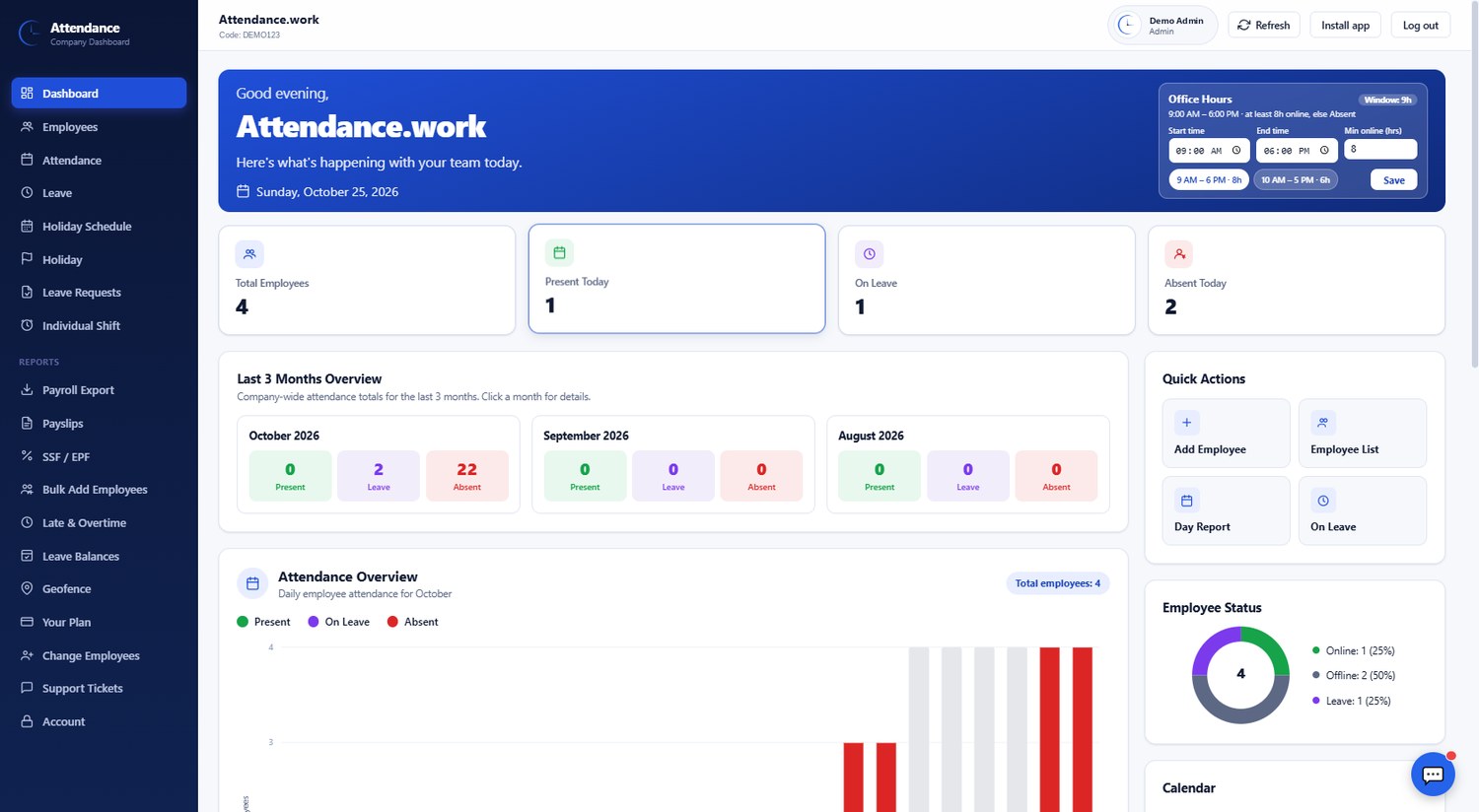
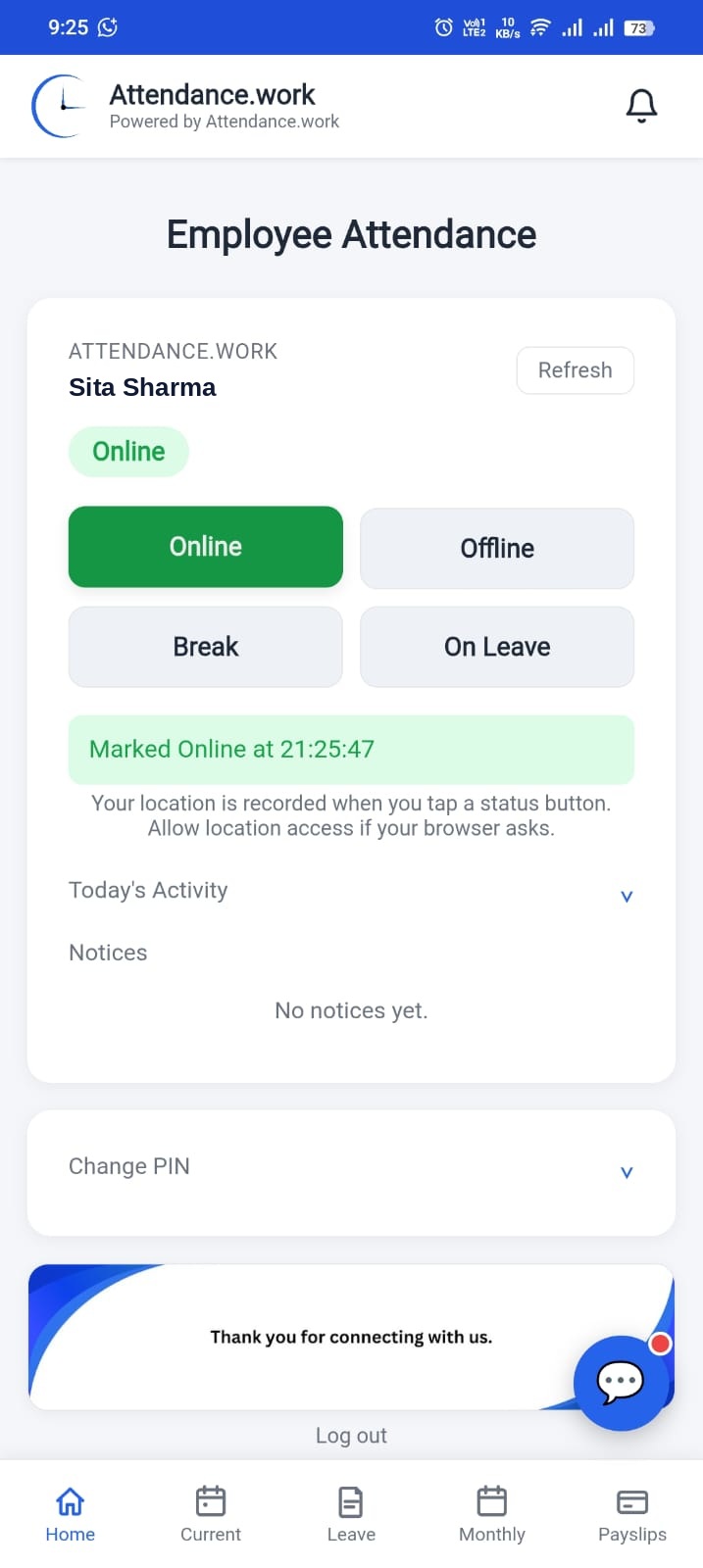
Employees use it on their phone. Managers run HR and payroll from the dashboard.
Check in with location
Tap Online, Break or Offline. Your location is saved with every tap.
Leave requests
Ask for leave in the app. Your manager approves or declines with a reply.
Holidays and shifts
Set a holiday schedule for the company and individual shifts for each employee.
Office-area check-in
Optionally limit check-in to your office area. Staff tap Online only when they are within the distance you set.
Late and overtime report
See who arrived late and who worked extra time, for any date range, measured against each person's shift.
Leave types and balances
Create leave types with yearly days, pick the type when you approve, and see what each person has left.
Secure login and daily summary
Turn on two-step login and get a daily attendance summary by email.
Payroll export
Download the month's attendance and salary data for payroll in one step.
Payslips with SSF / EPF
Mark each salary as paid and the employee receives the payslip by email, with SSF or EPF deductions already calculated.
Bulk add employees
Add your whole team at once instead of typing each person.
Live team dashboard
See who is in, on break or on leave, and read the monthly record.
Notices and alerts
Send a notice and it reaches every phone as a notification.
Works like an app
Add it to your home screen and sign in with your fingerprint.
Payroll with SSF and EPF, without the spreadsheet
Attendance.work calculates the SSF and EPF share for every employee, so month-end payroll takes minutes, not hours.
SSF and EPF calculation
Set the employee and employer percentages once. The defaults are SSF 11% employee and 20% employer, and EPF 10% and 10%. You can change them to match your company.
Salary deduction for absent days
Absent and extra leave days beyond the holidays you give are deducted from salary automatically, based on the attendance already recorded.
One payroll table for all staff
See salary, deduction, payable amount, SSF and EPF for every employee in one table. Print it or save it as PDF.
Choose how you use it
Pick your role to log in or sign up.
Companies
Add your team and see who is in today. Start with a 14-day free trial.
Company dashboard Start 14-day free trialSimple HR software pricing
Pay per employee. The more people on your team, the lower the rate. Every new company starts with a 14-day free trial.
Prices are per employee, per month. The rate for your team size applies to all employees.
What is Attendance.work?
Attendance.work is attendance software in Nepal and beyond, with HR and payroll built in. It replaces paper registers and spreadsheets with one app: staff check in, take a break and check out from their phone, and the manager handles attendance, leave, holidays, shifts, SSF and EPF payroll, and payslips from one dashboard.
It works for offices, shops, schools, restaurants, clinics and any team that needs a clear record of who was at work and a simple way to pay them. Every check-in saves its location, leave requests are approved inside the app, and payslips are sent to employees by email.
New to the app? Read the Help and Guides page, or start your 14-day free trial.
Frequently asked questions
Quick answers before you start.
How much does attendance software cost in Nepal?
Attendance.work is priced per employee per month in NPR, and the rate gets lower for bigger teams. Every new company gets a 14-day free trial with no payment. The live prices are shown in the pricing section of this page.
How do I choose attendance software in Nepal?
Look for location check-in, leave and shift management, payroll with SSF and EPF, payslips, NPR pricing and local support. Attendance.work includes all of these, so a Nepali company can handle attendance and payroll in one place.
How can I track staff attendance in Nepal without a paper register?
Use attendance software where staff tap Online, Break and Offline on their phone and each tap saves the time and location. Managers see the live team dashboard, approve leave, and use the same records for payroll, SSF and EPF.
Is Attendance.work attendance software for Nepal?
Yes. Attendance.work is attendance software in Nepal with HR and payroll built in. It calculates SSF and EPF, shows prices in NPR, and works on any phone or computer with no install.
What is Attendance.work?
Attendance.work is HR software for teams. Staff check in from their phone, and companies manage employees, leave, holidays, shifts and payslips from one dashboard.
Do I need to pay to start?
No. Every new company gets a 14-day free trial. No payment is needed to start.
How do I pay after the trial?
Choose a plan from your dashboard before the trial ends and pay by QR.
Can I change the number of employees later?
You can lower it any time from your dashboard. To add more employees, send a request from the dashboard and wait for approval.
Why does the app need my location?
Location is saved with every Online, Break or Offline tap, so managers can see where each check-in happened.
Can employees use it on their phone?
Yes. They can add it to the home screen and use it like an app.
Can Attendance.work send payslips?
Yes. Choose a month, mark each salary as paid after the bank transfer, and the employee gets the payslip by email. You can also export payroll.
Does Attendance.work support SSF and EPF?
Yes. Set the employee and employer percentages for SSF and EPF in the dashboard (defaults: SSF 11% employee and 20% employer, EPF 10% and 10%). They are calculated on the monthly salary, the employee share is deducted when you mark a salary as paid, and it is shown on the payslip. SSF portal upload files and income tax calculation are not available yet.
Can I see SSF, EPF and salary for all employees in one table?
Yes. The payroll table shows each employee's attendance, leave and absent days, salary, deduction, payable amount, and SSF and EPF shares (employee and employer), with totals. You can print it or save it as PDF.
Can I manage holidays and shifts?
Yes. Add a holiday schedule for the whole company and set individual shifts for each employee.
Can I make staff check in only at the office?
Yes. Turn on the office-area limit in the dashboard, set your office location and a distance, and staff can only tap Online when they are inside that area.
Can I add many employees at once?
Yes. Use Bulk Add Employees in the dashboard to add your whole team in one step.
One dashboard for you. One app for your team.
Managers run attendance, leave and payroll on a computer. Staff check in from their phone in two taps.